Organisation Administration
Organisations let agencies, franchises, and enterprise customers manage multiple QRCompose tenants from a single admin workspace. Organisation admins access a dedicated sidebar with tenant, branding, and template tools.
Organisation roles
| Role | Access |
|---|---|
| Org admin | Full organisation management |
| Org manager | Tenant and invitation management |
| Org analyst | Analytics and reporting |
Regular tenant users (editors, viewers) work inside individual tenants and do not see organisation admin pages.
Organisation navigation
| Label | Path | Purpose |
|---|---|---|
| Dashboard | /org/dashboard | Organisation-wide overview |
| Tenants | /org/tenants | List and manage child tenants |
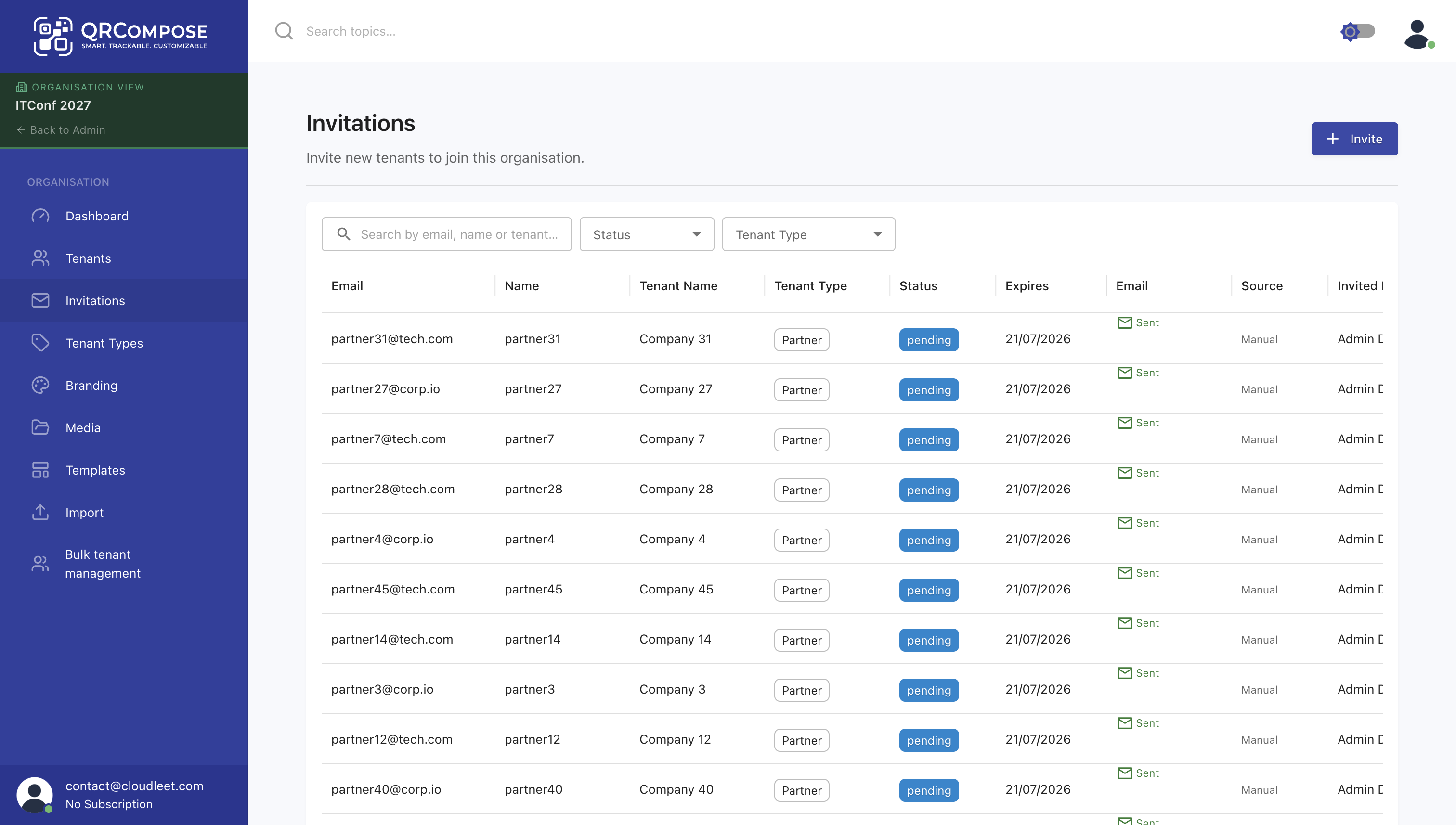
| Invitations | /org/invitations | Invite users to tenants |
| Tenant Types | /org/tenant-types | Define tenant categories and defaults |
| Branding | /org/branding | Shared branding assets |
| Media | /org/media | Shared media library |
| Templates | /org/templates | Reusable page and event templates |
| Import | /org/import | Bulk tenant import |
Tenants
Each tenant under an organisation is an independent QRCompose workspace with its own pages, apps, QR codes, and team. Organisation admins can:
- Create and configure tenants
- Assign tenant types with default settings
- View tenant status and subscription inheritance
- Soft-delete tenants from the organisation
Invitations
Organisation admins send personalised email invitations to add users to specific tenants. Invited users inherit the tenant's subscription — no separate account subscription is created.
Accept invitations via /org-invite with the link from the invitation email.
Templates
Organisation templates let admins create standardised starting points for tenants:
- Page templates (menus, link trees, business pages)
- Event templates with pre-configured programme structure
Tenants instantiate templates from their workspace. Template configuration uses the legacy designer workflow (/org/templates/*).
Billing modes
Organisations can set a billing policy per tenant:
| Policy | Effect |
|---|---|
| Self-service | Tenant admin manages Stripe billing independently |
| Platform-managed | Organisation sponsors the tenant; self-service Stripe is blocked |
Platform-managed tenants see restricted billing UI and inherit the organisation's plan entitlements.
See Plans & Billing for entitlement details.
Related
- Plans & Billing — subscription tiers and billing modes
- Getting Started — individual tenant onboarding
- Event Management — per-tenant event operations