Attendees & Registration Desk
Manage your event audience from the Attendees tab and run on-site operations from the Registration Desk.
Attendees
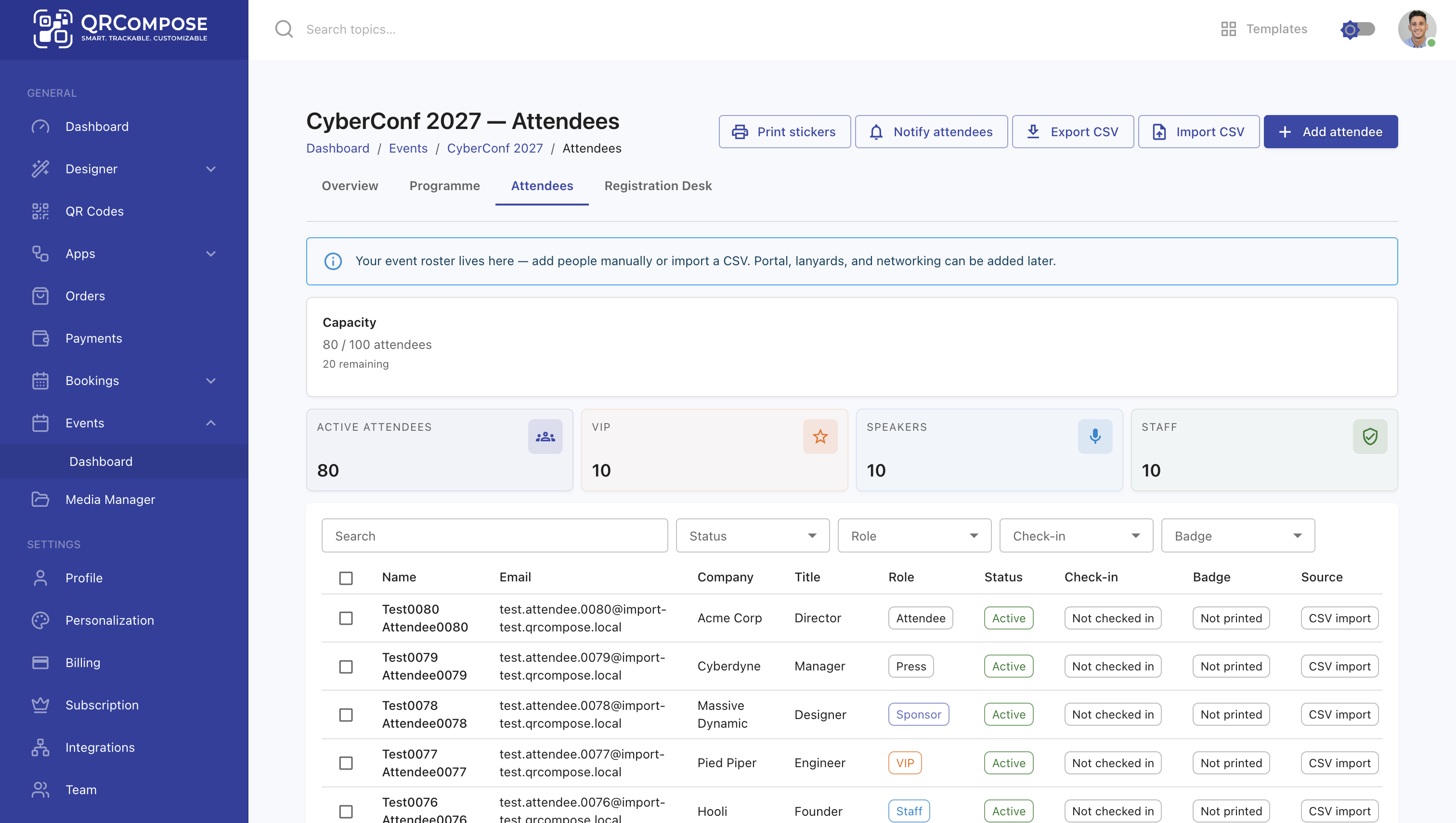
Open Events → [your event] → Attendees (/events/:eventId/attendees).
Adding attendees
| Method | How |
|---|---|
| Manual | Click Add attendee and fill in name, email, and role |
| CSV import | Click Import CSV to bulk-import from a spreadsheet |
| Backfill | For attendees created before guest provisioning, use the backfill API (admin) |
Attendees with an email address are auto-provisioned as guests in the Guest Portal. They can sign in via OTP to access their digital pass and profile.
Attendee roles
Filter and assign roles such as Attendee, Speaker, Staff, and VIP. Roles affect badge layout and portal visibility.
Attendee actions
From the attendees list you can:
- Print stickers — individual badge labels
- Notify attendees — send communications (where configured)
- Export CSV — download the attendee list
- Filter by role, check-in status, or badge-printed status
Capacity warnings
If your attendee count approaches or exceeds your event licence capacity tier, QRCompose shows warnings and may block new imports depending on enforcement mode.
| Tier | Attendee capacity |
|---|---|
| Essential Event | 100 |
| Professional Event | 500 |
| Business Event | 1,000 |
| Enterprise Event | Custom |
Registration Desk
Open Events → [your event] → Registration Desk (/events/:eventId/desk).
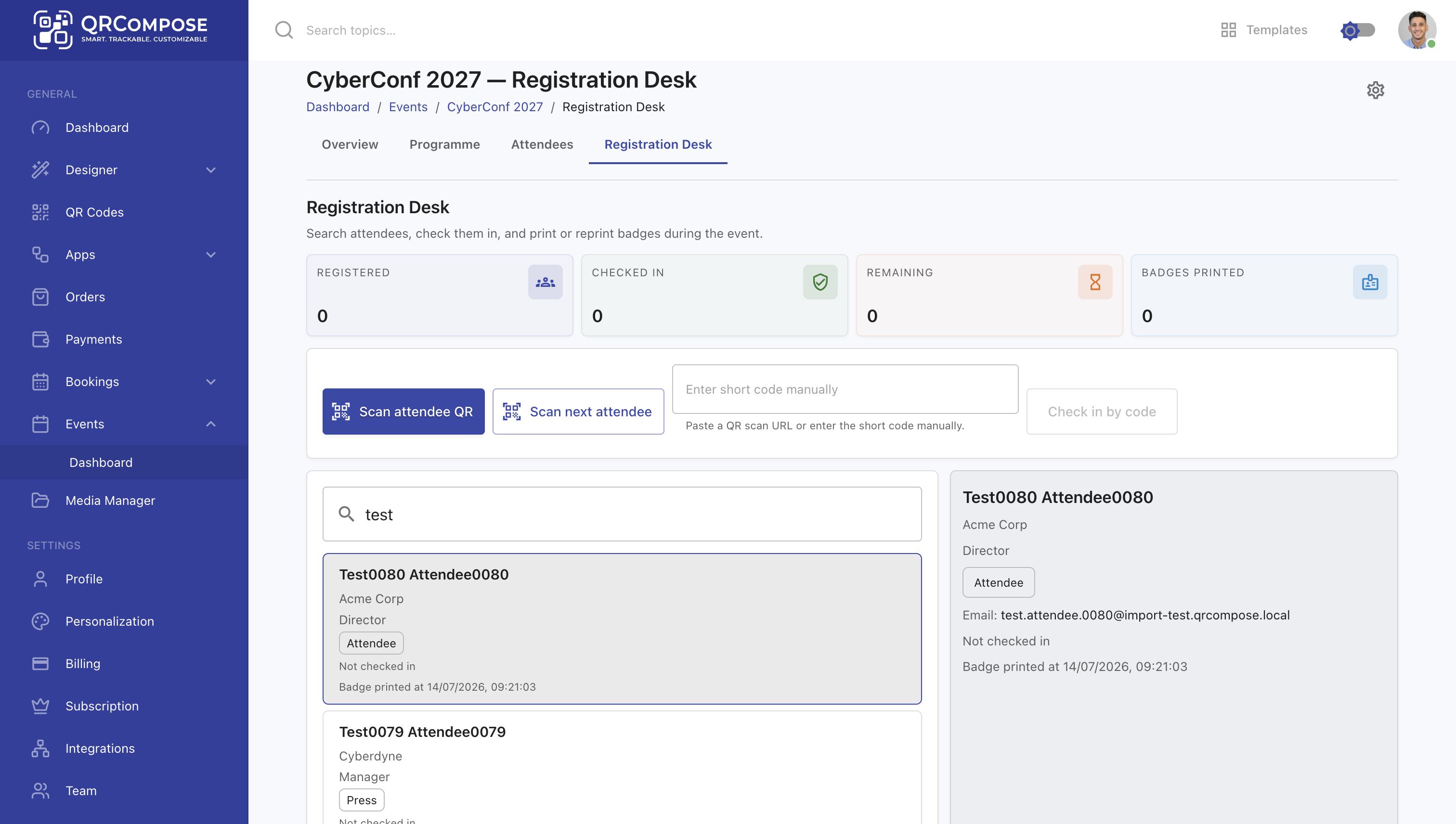
The registration desk is your on-site check-in station.
Check-in methods
| Method | How |
|---|---|
| Search | Search by name or email, then check in |
| QR scan | Scan the attendee's digital pass QR code |
Desk features
- Check in and undo check-in
- Print badge PDFs (single or bulk)
- Configure badge fields (name, role, company, QR code) via the badge settings drawer
- Real-time check-in status reflected in the attendees list
Check-in requires an event licence with the check-in feature included (all standard tiers include it).
Badges
Badge printing is available from both the Attendees tab and the Registration Desk:
- Print stickers — quick label format
- Badge PDF — full badge with configurable fields and event branding
Badge themes and print layouts can be customised in event settings.
Related
- Event Management — event manager overview
- Event Licensing — capacity tiers
- Guest Portal — what attendees see after check-in
- Digital Pass & Profiles — attendee digital pass