Conditional Redirects
Conditional redirects make QR codes context-aware — they automatically route users to different destinations based on defined rules. Configure rules from the QR code editor under the Redirects tab.
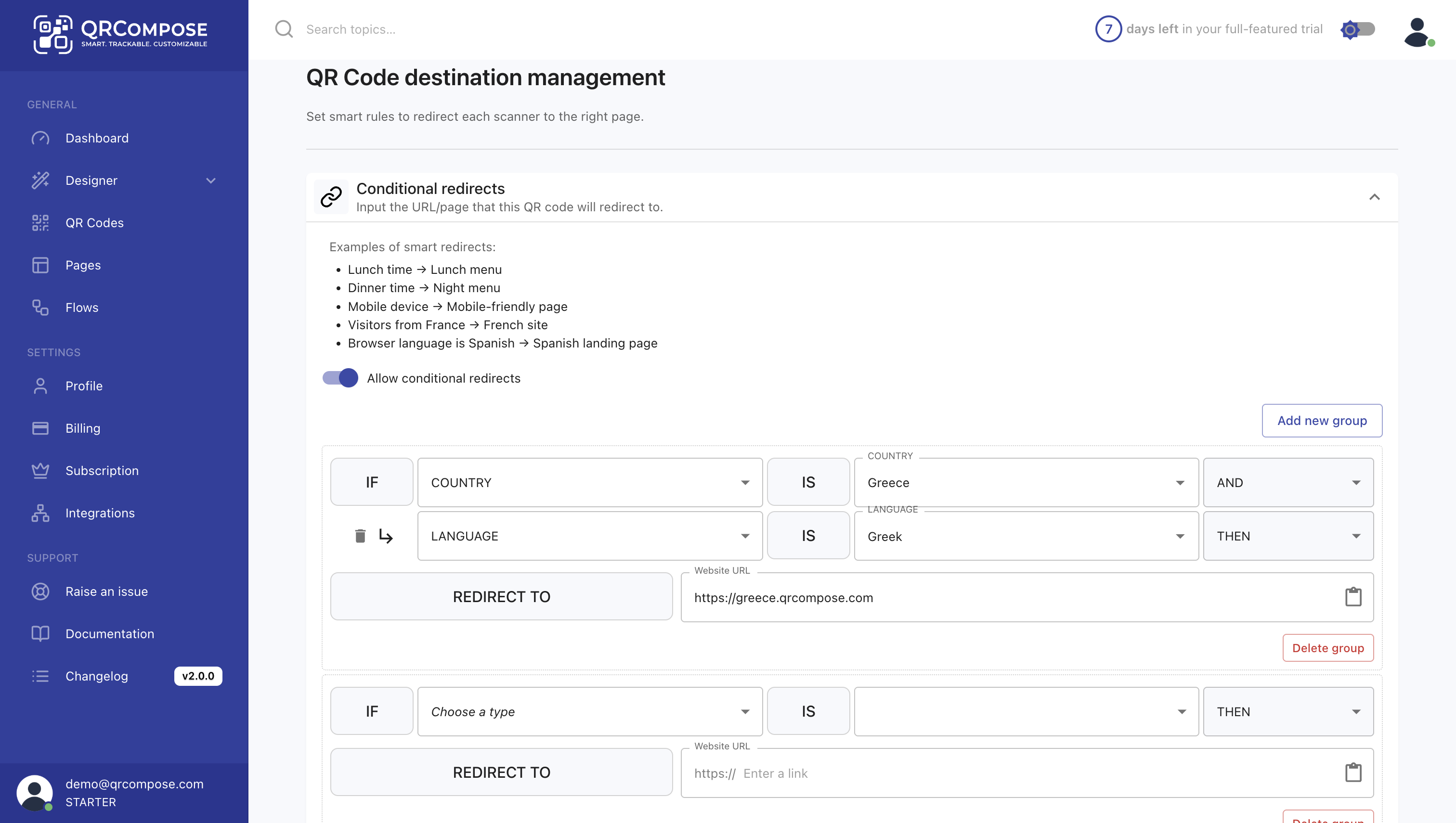
Supported conditions
| Condition | Example |
|---|---|
| Device type | Send Android users to Google Play and iOS users to the App Store |
| Location | Redirect based on country or region |
| Time-based rules | Different destinations for specific hours, days, or campaign periods |
| Custom logic | Combine multiple conditions for advanced routing |
Example use cases
- Redirect restaurant visitors to a lunch menu before 4 PM and a dinner menu afterward
- Send mobile users to an app landing page and desktop users to the main website
- Run localised campaigns with region-specific offers or languages
How to set up
- Open a QR code from QR Codes (
/qr-code/view) - Navigate to the Redirects tab
- Add a rule with conditions and a target destination
- Save — changes apply instantly to all printed codes
Instant updates
Conditional redirects apply in real time. All printed QR codes follow your updated logic without reprinting.
Redirects vs apps
| Feature | Conditional redirects | Apps |
|---|---|---|
| Scope | Single QR code entry point | Multi-page connected journey |
| Routing | Rule-based (device, location, time) | User interaction-driven (clicks, form submits) |
| Use when | Same QR, different audiences | Sequential steps with data passing |
A QR code can point to an app entry page while also using conditional redirects to choose which app or page loads for different audiences.
Related
- QR Codes — QR management overview
- Apps — multi-step experiences
- Plans & Billing — plan availability