Designer V3
Designer V3 is QRCompose's canvas-based design experience. It replaces the step-by-step wizard with a three-pane workspace: type picker and section navigation on the left, live preview in the centre, and a property inspector on the right.
Access the designer from the sidebar: Designer → Create a design (/designer).
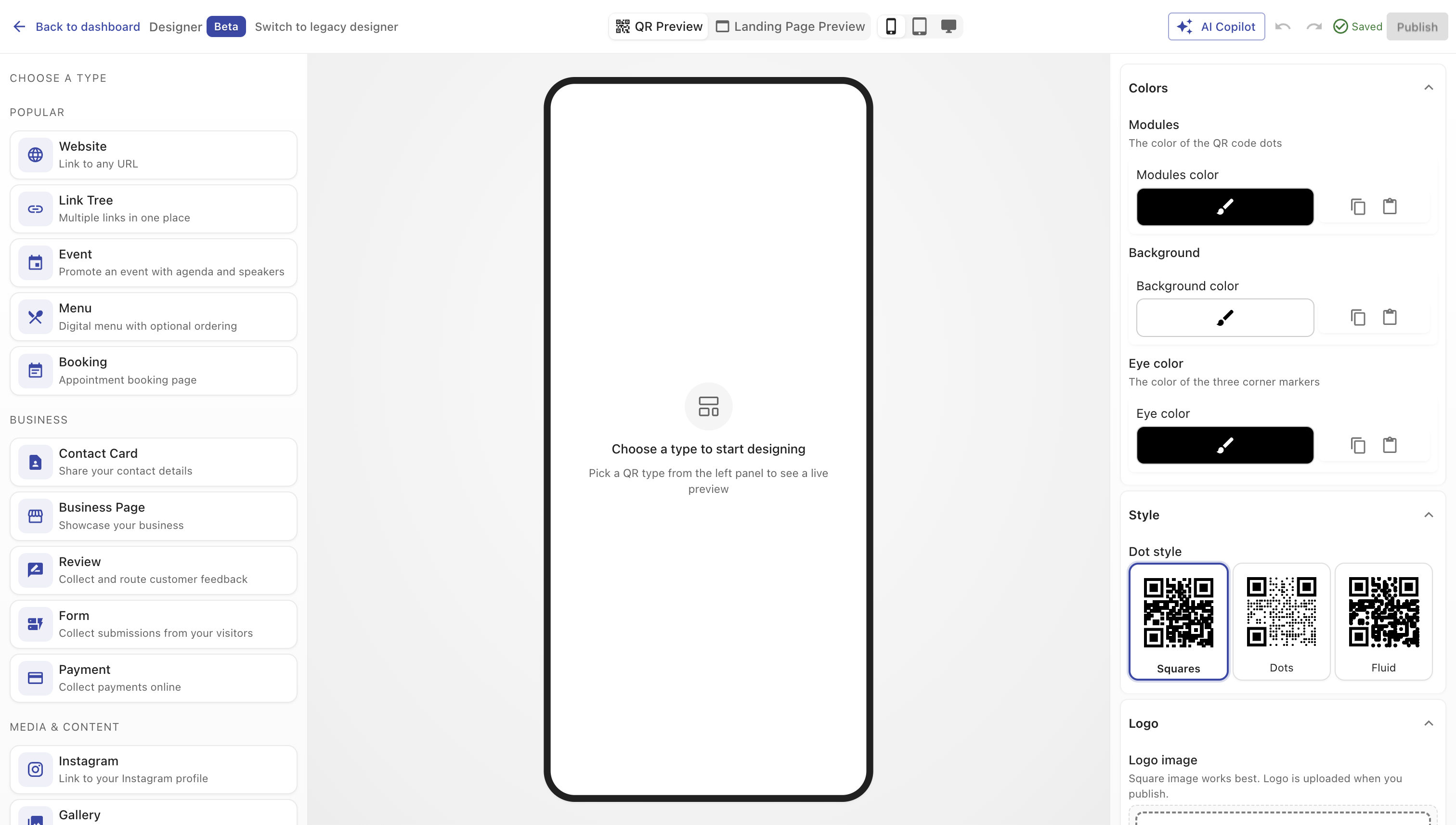
Workspace layout
| Pane | Purpose |
|---|---|
| Left panel | Choose a design type, then navigate configuration sections (Basics, Branding, Content, etc.) |
| Canvas | Live preview with phone, tablet, and desktop device toggles |
| Inspector | Edit properties for the active section; changes reflect in the preview immediately |
| Toolbar | Preview mode, device size, AI Copilot, undo/redo, save status, and Publish |
The toolbar shows a Beta chip while Designer V3 continues to roll out. On mobile devices, QRCompose may redirect you to the legacy designer for compatibility.
Design types
Open the type picker to choose what you want to build. Types are grouped for easier discovery:
Popular
- Website — link to any URL
- Link Tree — multiple links in one place
- Event — event landing page
- Menu — restaurant or product menu
- Booking — appointment or reservation form
Business
- Contact Card — digital vCard
- Business Page — multi-section business site
- Review — collect customer feedback
- Form — custom data collection
- Payment — Stripe payment page
Media & Content
- Instagram, Gallery, Video, Music, PDF
Utilities
- Plain QR — direct URL encoding (coming soon)
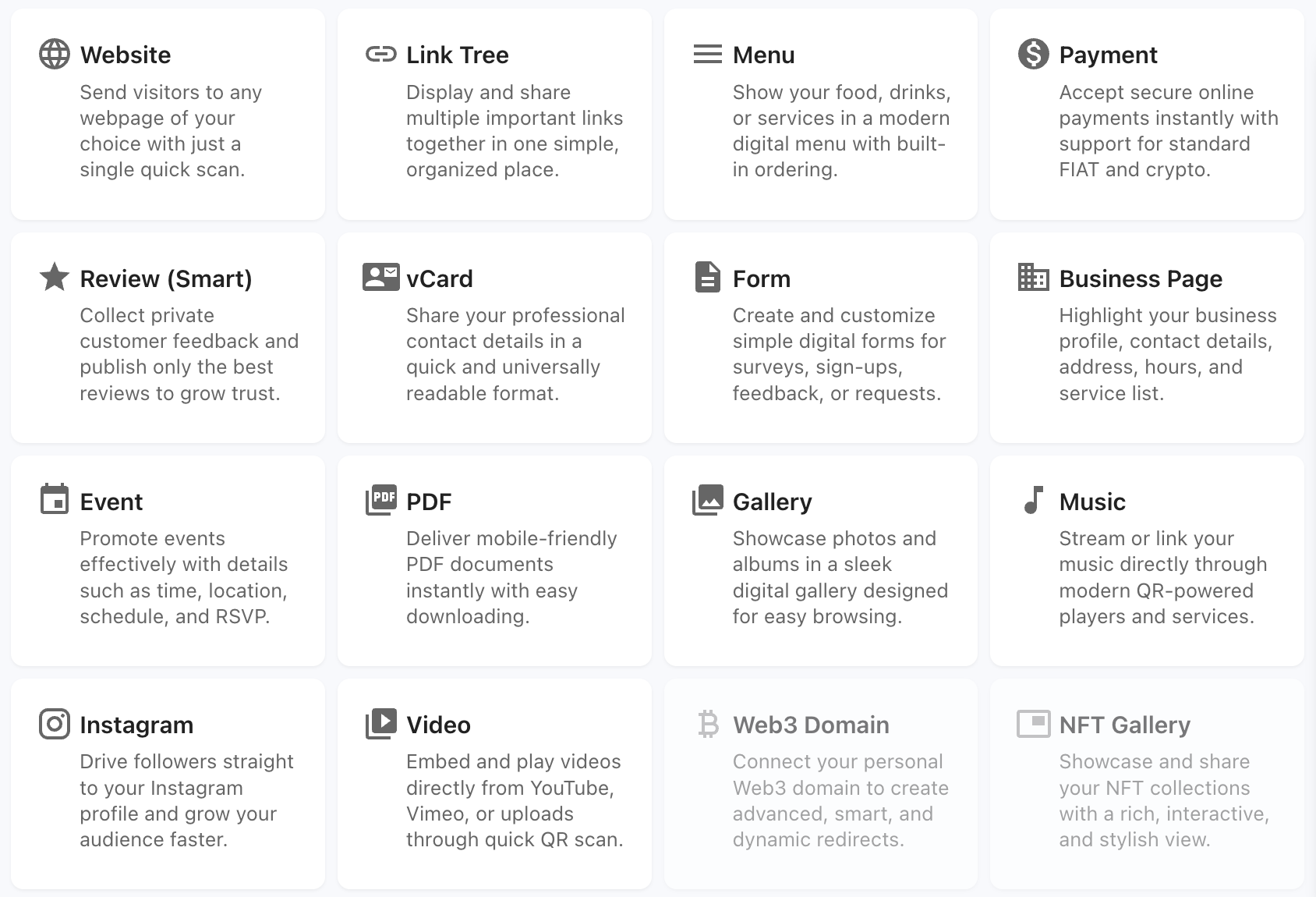
Each type exposes its own section navigation. For example, an Event design includes sections for Basics, Branding, Agenda, Speakers, Sponsors, Venue, Actions, and Settings.
Creating and saving
- Open Designer from the sidebar
- Pick a design type from the type picker
- Work through sections in the left panel; the inspector updates for each section
- Use device preview toggles to check mobile and desktop layouts
- Your work autosaves as a draft — the toolbar shows Saved, Saving, or Unsaved status
Publishing
Click Publish in the toolbar when you are ready to go live. The publish flow:
- Validates required fields
- Checks your subscription entitlements (or provisions a demo account on the public designer)
- Lets you choose whether to create a QR code, a page, or both
- Navigates you to the relevant asset list on success
If your plan does not include the page type you are publishing, QRCompose saves your draft and offers an upgrade path. See Publish & Draft.
Public designer
Unauthenticated visitors can try Designer V3 at /public/designer. Publishing from the public designer provisions a free demo account so you can explore the platform before signing up.
AI Copilot
The toolbar AI Copilot button opens a page-aware assistant that understands your current design type, active section, and configuration. See AI Copilot.
Legacy designer fallback
Designer V3 is the default on desktop. QRCompose falls back to the legacy wizard in these cases:
- Mobile browsers
- Express review flows
- Organisation template configuration (
/org/templates/*) - User opt-out via browser preference
Related
- Getting Started — first project walkthrough
- Publish & Draft — entitlement gates and draft behaviour
- AI Copilot — in-designer AI assistant
- Plans & Billing — what each tier can publish