Analytics
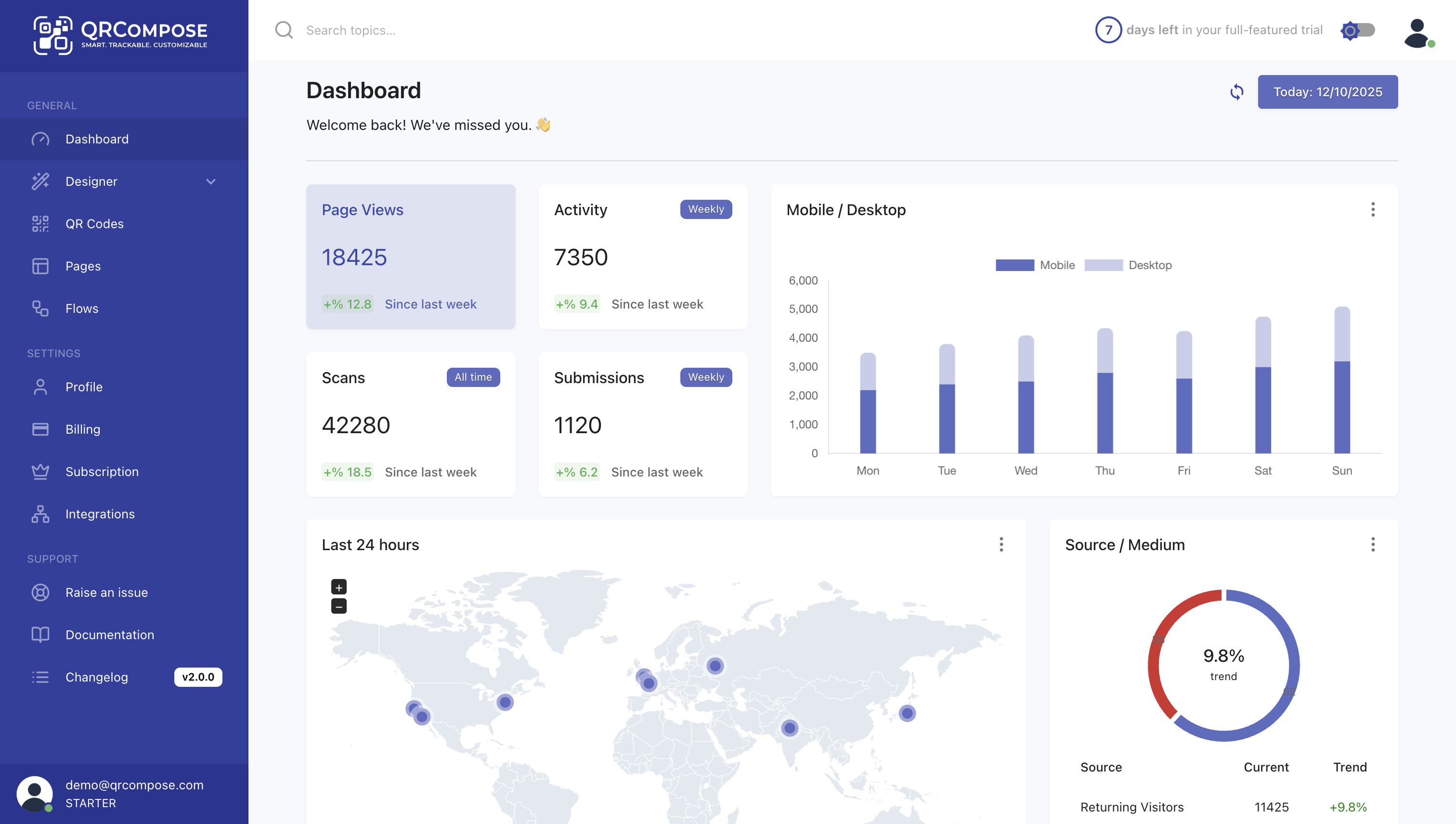
Analytics provides real-time insights into how your QR codes, pages, and apps perform — from scan counts and visitor behaviour to conversion tracking and geographic distribution.
Access analytics from the sidebar: Dashboard (/dashboard).
Overview
Analytics help you understand engagement, optimise performance, and measure ROI from QR campaigns.
Key benefits
- Real-time tracking — scans and interactions as they happen
- Conversion insights — form submissions, payments, reviews
- Geographic data — where your audience is located
- Device breakdown — mobile, desktop, tablet
- App analytics — multi-step journey drop-offs
What is tracked
Core metrics
| Metric | Description |
|---|---|
| QR Code Scans | Total scans per QR code |
| Page Views | Page loads including non-QR traffic |
| Unique Visitors | Distinct users per session |
| Session Duration | Average time on page |
| Conversion Rate | Visitors completing a target action |
Geographic and device data
| Metric | Description |
|---|---|
| Countries | Geographic distribution |
| Cities | City-level breakdown |
| Device Type | Desktop, mobile, tablet |
| Operating System | iOS, Android, Windows, etc. |
| Browser | Chrome, Safari, Firefox, etc. |
Conversion events
| Event | Triggered by |
|---|---|
| Form Submit | Form completion |
| Order Placed | Menu order submitted |
| Booking Made | Time slot confirmed |
| Payment Complete | Successful payment |
| Review Given | Review submitted |
| Link Clicked | Link Tree or redirect click |
Analytics views
Dashboard
The main dashboard aggregates metrics across your tenant.
QR code insights
QR Codes → [code] → Insights (/qr-code/:id/insights)
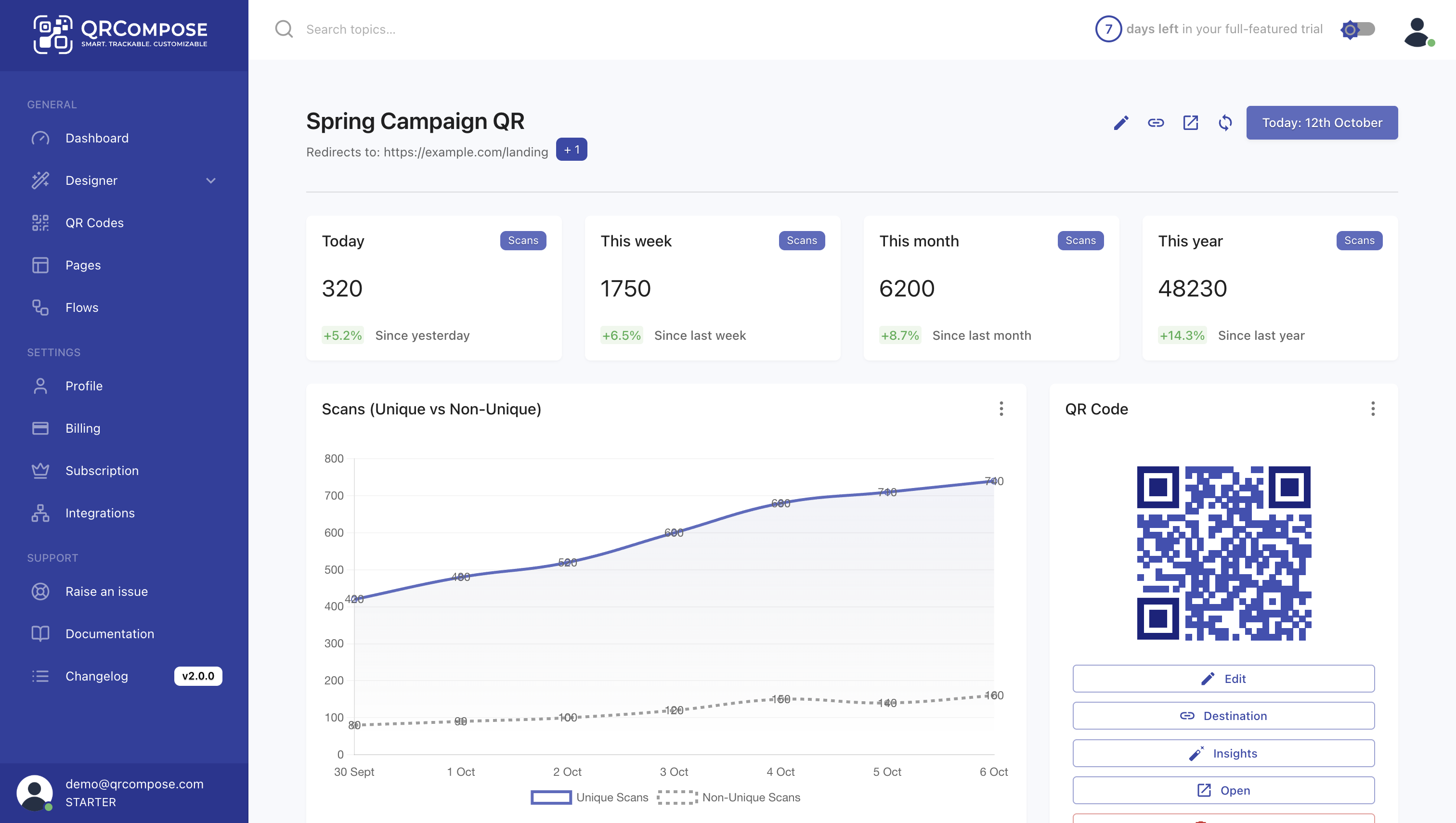
- Total scans (lifetime and date-filtered)
- Scan locations map
- Linked page performance
- Peak scan times
Page insights
Page Library → [page] → Insights (/page/:id/insights)
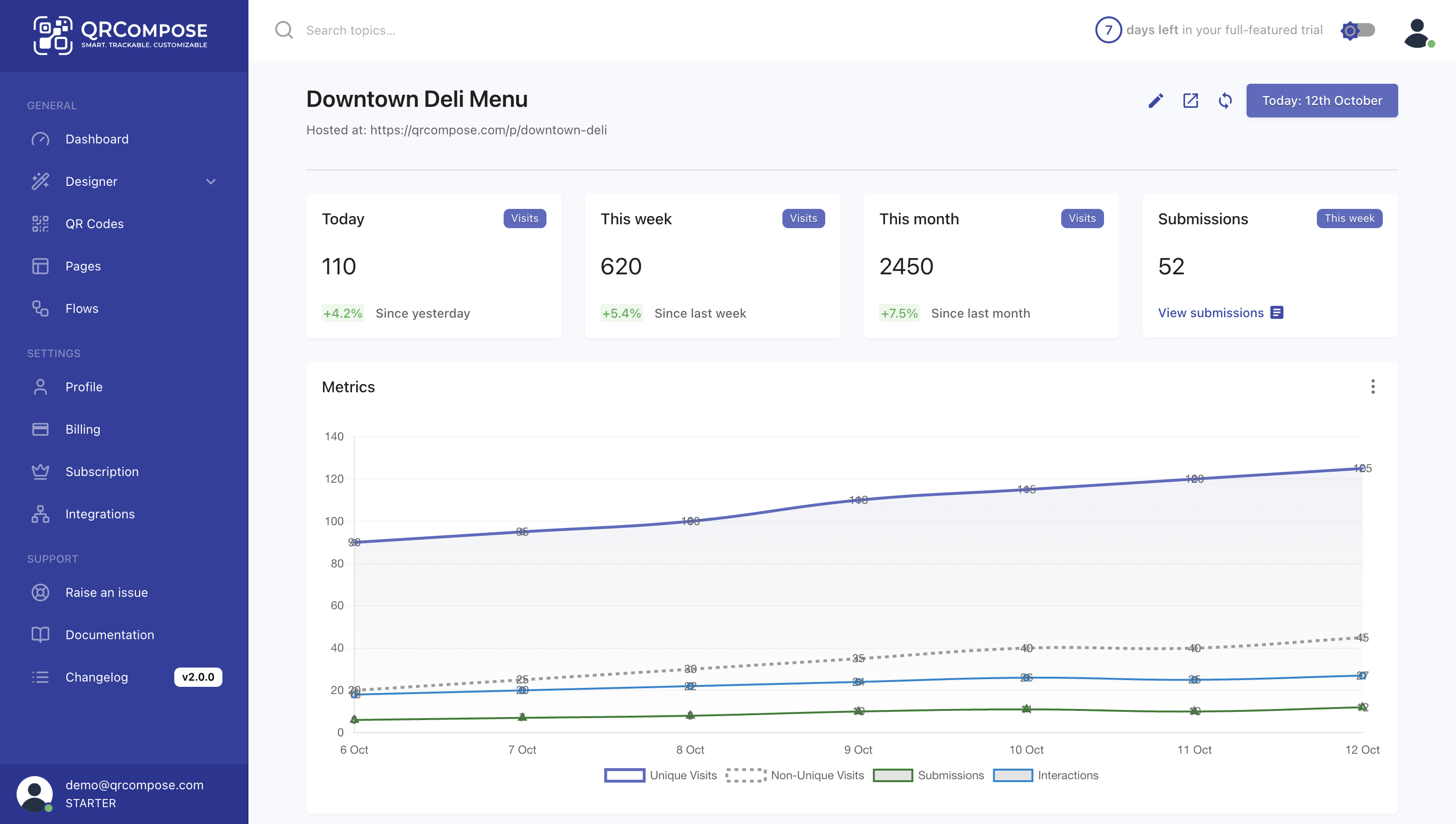
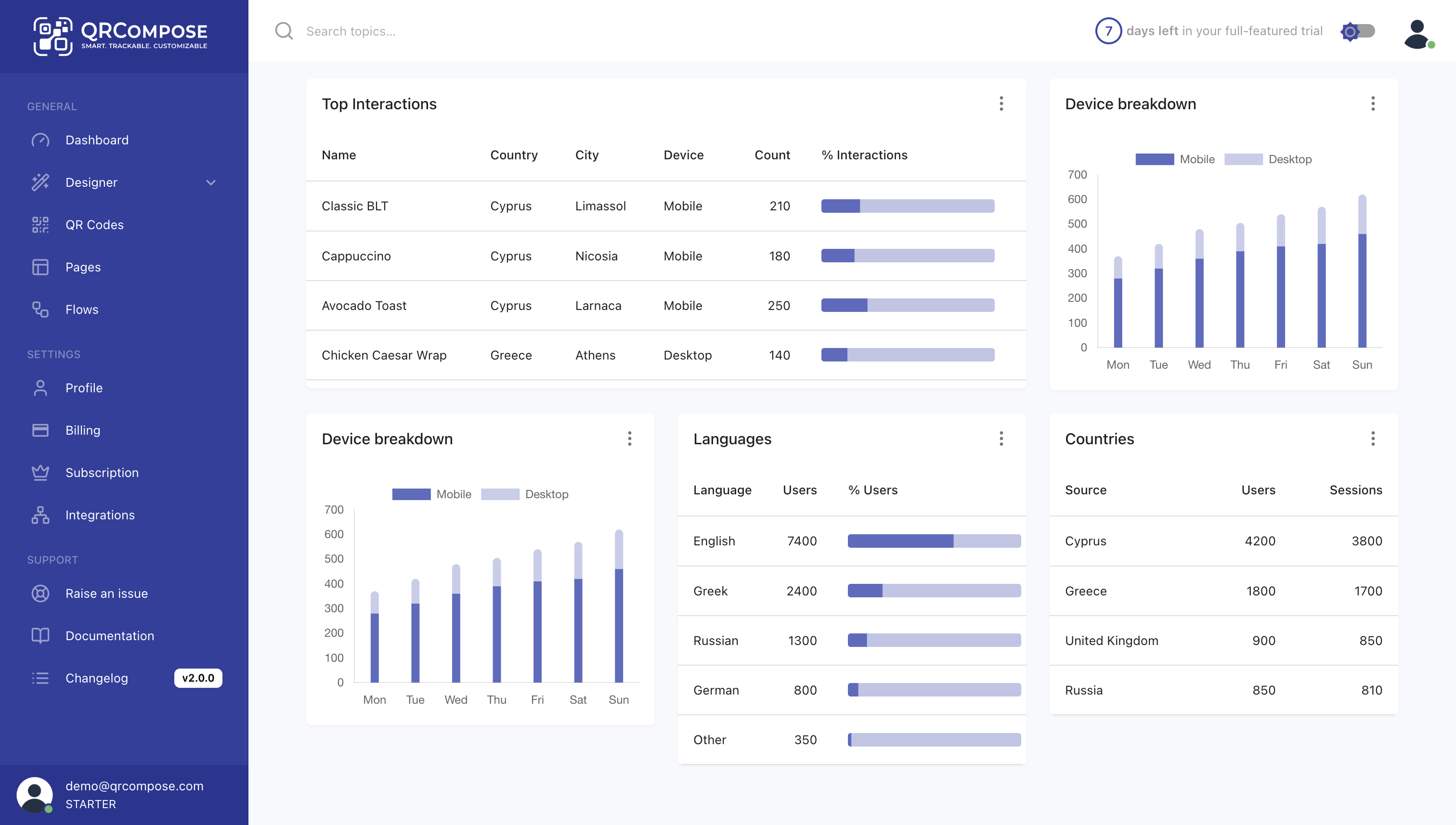
- Views and unique visitors over time
- Conversion funnel
- Device breakdown
- Geographic map
- Top referrers
App insights
Apps → [app] → Insights (/apps/:flowId/insights)
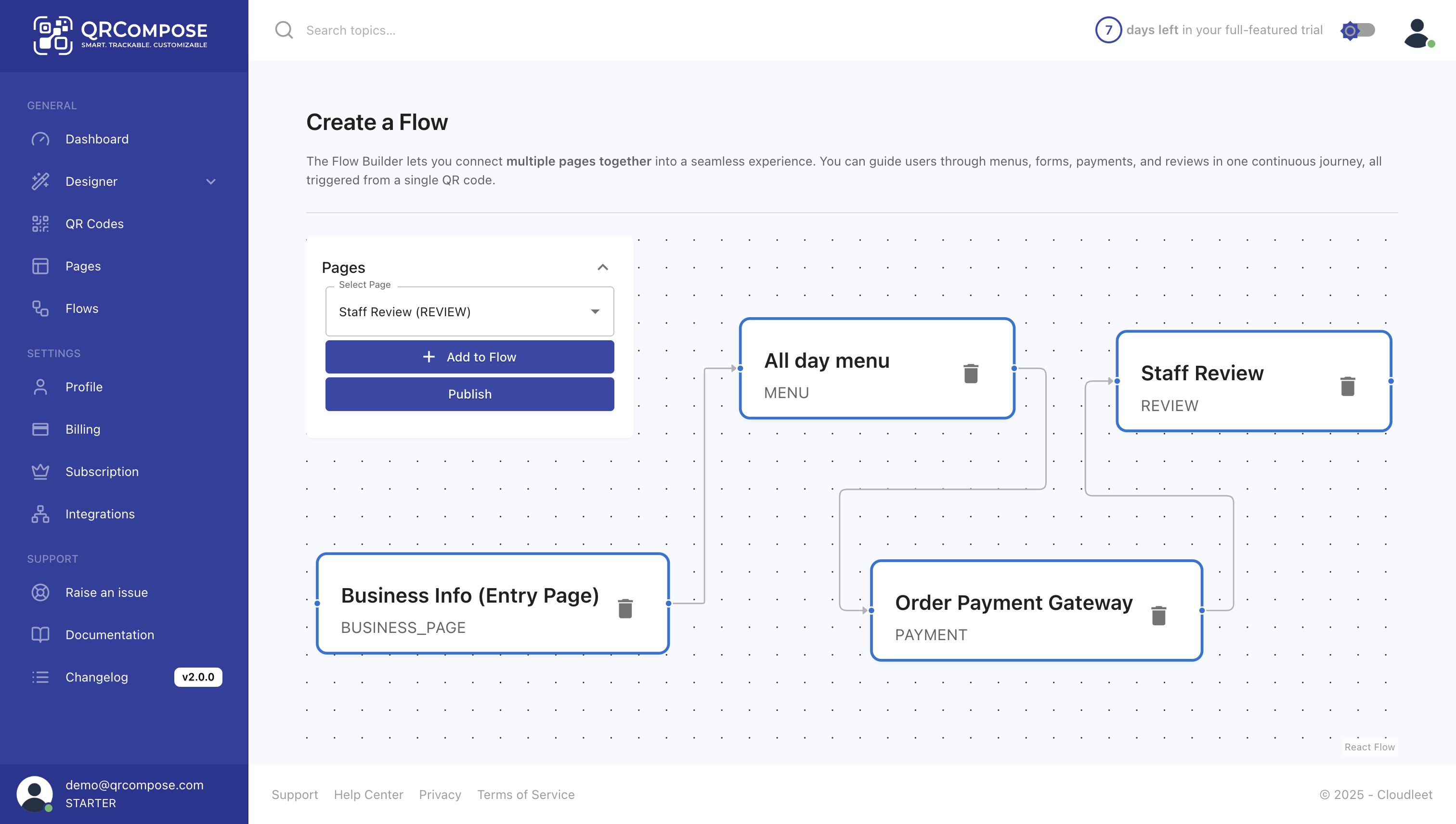
- App starts and step completions
- Drop-off rate per step
- Average journey duration
- Overall conversion rate
Apps → [app] → Sessions (/apps/:flowId/sessions) — individual session traces.
Organisation analytics
Organisation admins with the org-analyst role can access organisation-wide analytics from /org/dashboard, including CSV and PDF export on supported plans.
Real-time updates
Analytics update in near real time. Use the dashboard during events, launches, or campaigns to monitor activity live.
Best practices
- Use unique QR codes per campaign placement to compare performance
- Monitor app drop-offs and simplify steps where users exit
- Use conditional redirects for A/B testing
- Review conversion funnels weekly to identify optimisation opportunities
Related
- QR Codes — per-QR insights
- Apps — app-level funnel analytics
- Submissions — captured interaction data