Event Licensing
Publishing an event requires an event licence — a per-event purchase separate from your SaaS subscription. You can build and draft events on any plan for free; the licence unlocks publishing, attendee capacity, and platform features.
How it works
- Create and configure your event (stays in Draft until licensed)
- Open the event overview — QRCompose shows licence status and a purchase prompt
- Choose a tier and complete checkout via Stripe
- After payment, the licence activates and you can Publish
Purchase from Events → [your event] → Licence (/events/:eventId/licence).
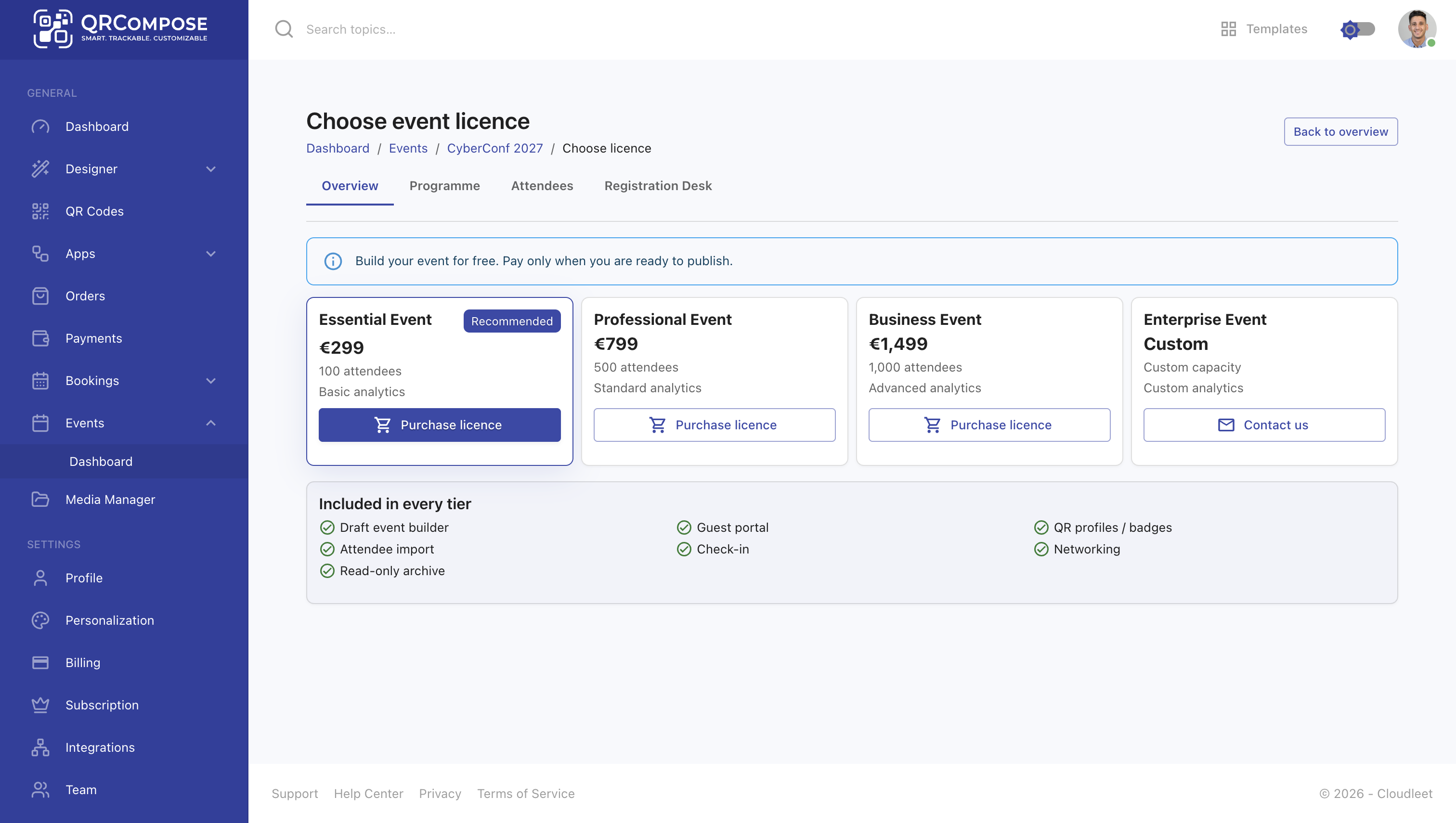
Licence tiers
| Tier | Attendee capacity | Analytics |
|---|---|---|
| Essential Event | 100 | Basic |
| Professional Event | 500 | Included |
| Business Event | 1,000 | Advanced |
| Enterprise Event | Custom | Custom — contact sales |
All standard tiers include:
- Draft event builder
- Guest portal access
- QR profiles and badges
- Attendee import
- Check-in (registration desk)
- Networking (connections)
- Read-only archive after the event
Capacity enforcement
When attendee count approaches or exceeds your tier limit, QRCompose applies capacity enforcement:
- Warnings when you are near capacity
- Blocks on new imports when strictly enforced
- Upgrade recommendations with a suggested higher tier
Upgrading supersedes your current licence — existing attendees are preserved.
Upgrades and refunds
- Upgrade — purchase a higher tier; the old licence is superseded
- Refund — may automatically unpublish the event and deactivate the licence
- Enterprise grant — super-admins can grant enterprise licences without Stripe checkout
Relationship to SaaS subscription
| SaaS subscription | Event licence | |
|---|---|---|
| Scope | Entire tenant workspace | Single event |
| Controls | Page types, app limits, AI credits | Event publish, attendee capacity, event features |
| Billing | Monthly/annual Stripe subscription | One-time per-event Stripe checkout |
A Free-tier tenant can draft events and purchase event licences independently.
Related
- Event Management — building and publishing events
- Attendees & Registration Desk — capacity and check-in
- Plans & Billing — SaaS subscription tiers
- Guest Portal — attendee access after publish